Change Log

Follow new updates and improvements to California eTRM.

Release 3.11

Measure Development Report Improvement

Affected users: All users

Features: The Measure Development Report (MDR) has been enhanced to provide users with greater flexibility and visibility when tracking measure development activities and progress.

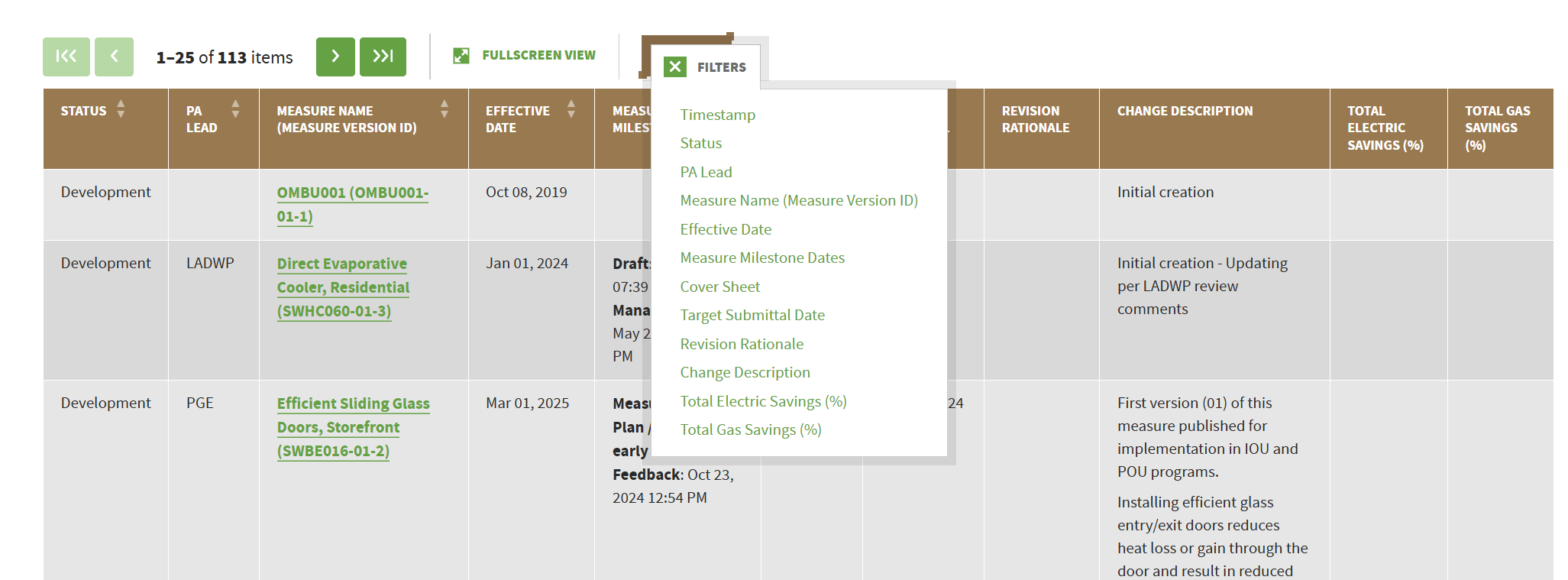
  • Customizable Rows and Columns: Users can now customize the rows and columns displayed in the Measure Development Report (MDR) and save their selections for future use.

  • Enhanced Measure Development Tracking: The MDR now provides additional information to help users track and monitor measure development activities and progress, including:

    • Current measure status and development stage

    • Measure development milestones

    • Number of review comments

    • Number of review rounds

    • Number of days spent in certain development stages

    • Cover sheet information for changes to measure impacts

Training Resources:

Updated Measure Development Workflow

Affected users: Measure contributors (measure developers/reviewers/manager, Cal TF Staff reviewer, CPUC Admin, and CPUC reviewers)

Features: The measure development workflow has been updated to allow for 1) smoother measure package handoffs between measure developers, Cal TF staff, and CPUC and 2) more accurate tracking of the measure development timeline and responsibility.

  • New Cal TF Staff Request for Information status: A new status to indicate when a measure package has completed Cal TF Staff Review and is being returned to the measure developer for additional information or action.

  • Resubmission to CPUC without resolved comments: Measure Developers and PAs can now change the measure status to Resubmitted to CPUC without first resolving all CPUC comments, eliminating the need to communicate the resubmission through a separate channel.

The MDR tracks measure development activities by measure status, including the party currently responsible for the measure. To ensure accurate tracking, please follow the established workflow conventions for when to change or update measure statuses.

Training Resources:

Measure Package Review Summary Report Removal

Affected users: All users

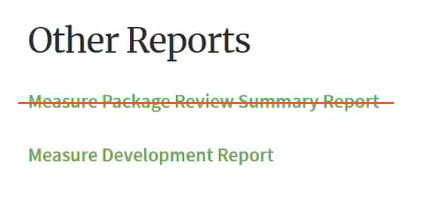
Features: The Measure Package Review Summary Report has been removed from the eTRM Measure Report page. The Measure Development Report (MDR), which consolidated and expanded upon the information previously available through the Review Summary Report, is now the primary report for tracking measure development activities and progress.
Improved

Release 3.10.3 and 3.10.4

Resolved an eTRM Public Database Sync Issue

Affected users: Users and systems that are accessing published eTRM data via the public Postgres database

Incident: Resolved a sync failure error with the eTRM public Postgres database and resynced the database to the latest data. Note: The issue affected only the published tables; measure data required by CEDARS load shape process was not affected.

On August 12, the eTRM monitoring system detected that the public database (published tables only) had not successfully synced since the last manual sync on July 28. The error was a result of a job conflict caused by the restricted sync, which happens every 5 min to send eTRM latest measure data to CEDARS load shape tool, overlapping with the nightly public sync, which syncs published measure data for reporting purposes. This job conflict automatically stopped the public sync. eTRM software team resolved the sync error by preventing the overlapping sync jobs and performed a manual sync on August 14 to update the public database.

Cal TF Staff and the eTRM development team have initiated a prior-incident review and root cause analysis to identify potential recurrence, contributing factors, and recommended improvements for permanent remediation.

Business impact: Published measure data updates made in August were not reflected in the public database and were unavailable to downstream systems. Four newly published future measure versions were missing. Their previous PY2026 published versions also lacked the updated EndDate, which was added following the approval of the newest versions. The affected measures were:

  • Missing published measures

    • SWAP014-05 Heat Pump Clothes Dryer, Residential, Fuel Substitution (StartDate = 1/1/2028)

    • SWAP011-06 Vending and Beverage Merchandise Controller (StartDate = 1/1/2028)

    • SWWH027-08 Heat Pump Water Heater, Commercial, Fuel Substitution (StartDate = 11/3/2206)

    • SWWH028-09 Large Heat Pump Water Heater, Commercial and Multifamily, Fuel Substitution (StartDate = 11/2/2026)

  • Measure version IDs with missing EndDate

    • SWAP014-04 Heat Pump Clothes Dryer, Residential, Fuel Substitution (EndDate = 12/31/2027)

    • SWAP011-05 Vending and Beverage Merchandise Controller (EndDate = 12/31/2027)

    • SWWH027-07 Heat Pump Water Heater, Commercial, Fuel Substitution (EndDate = 11/02/2026)

    • SWWH028-08 Large Heat Pump Water Heater, Commercial and Multifamily, Fuel Substitution (EndDate = 11/01/2026)

User action required: Users may need to refresh their database connection to receive the latest data.

Improved Data Sync Reliability

Affected users: Internal only

Features: We’ve improved monitoring and notifications for all eTRM data synchronization tasks to help ensure that sync jobs complete successfully and any issues are identified quickly.

  • Robust data monitoring: A new CloudWatch dashboard provides ongoing visibility into sync health. Every sync job now reports its health status and clearly identifies failed or incomplete syncs.

  • Data verification: A new automated daily check compares the public Postgres database against the main eTRM database and flags any discrepancies.

  • Faster notifications: Sync failures and data discrepancies now proactively trigger email notifications to the eTRM Development Team and designated Cal TF staff contacts, so issues can be addressed immediately.

Enhanced Multiple-Choice Filters

Affected users: All users

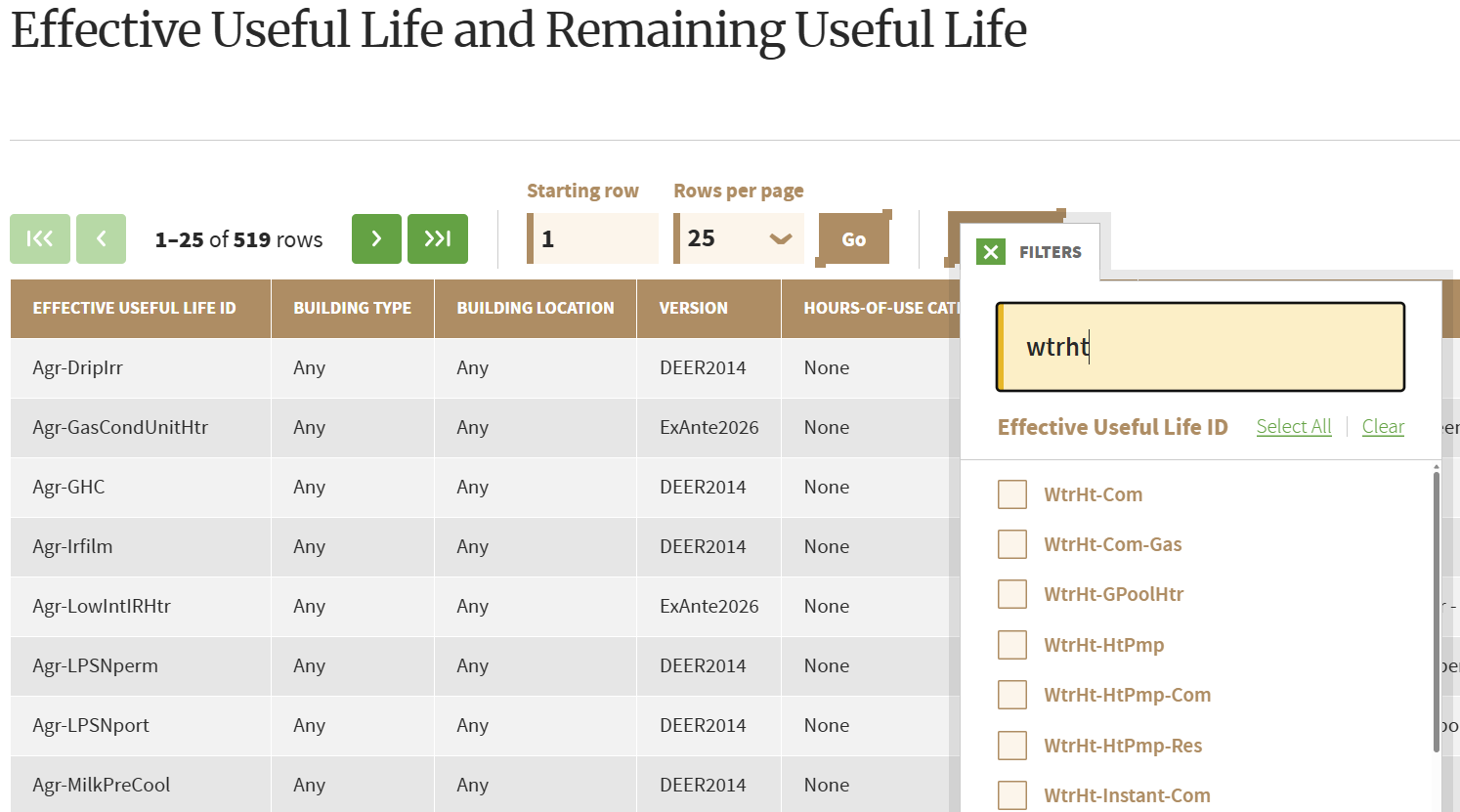
Features: Improved the multiple-choice filter widget to make it easier and faster to find the values you need.

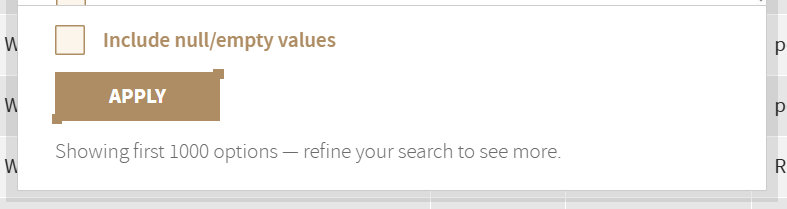
  • Searchable filter options: Users can now type a word or phrase to quickly narrow down the available choices instead of scrolling through a long list.

  • Access to all values: Previously, the multiple-choice widget silently limited the list to the first 1,000 values, which could make some options unavailable. Users can now search across the full set of available values. If more than 1,000 results are returned, eTRM clearly indicates that the list has been limited.

  • Improved performance: Optimized search and retrieval algorithm, making the experience faster and more reliable.

Note: This enhancement is currently available only for CPUC Support Tables. We plan to expand the improved filtering experience to other eTRM tables in future releases.

Release 3.10

Advanced Filter UI for Permutations Table

Affected users: All users

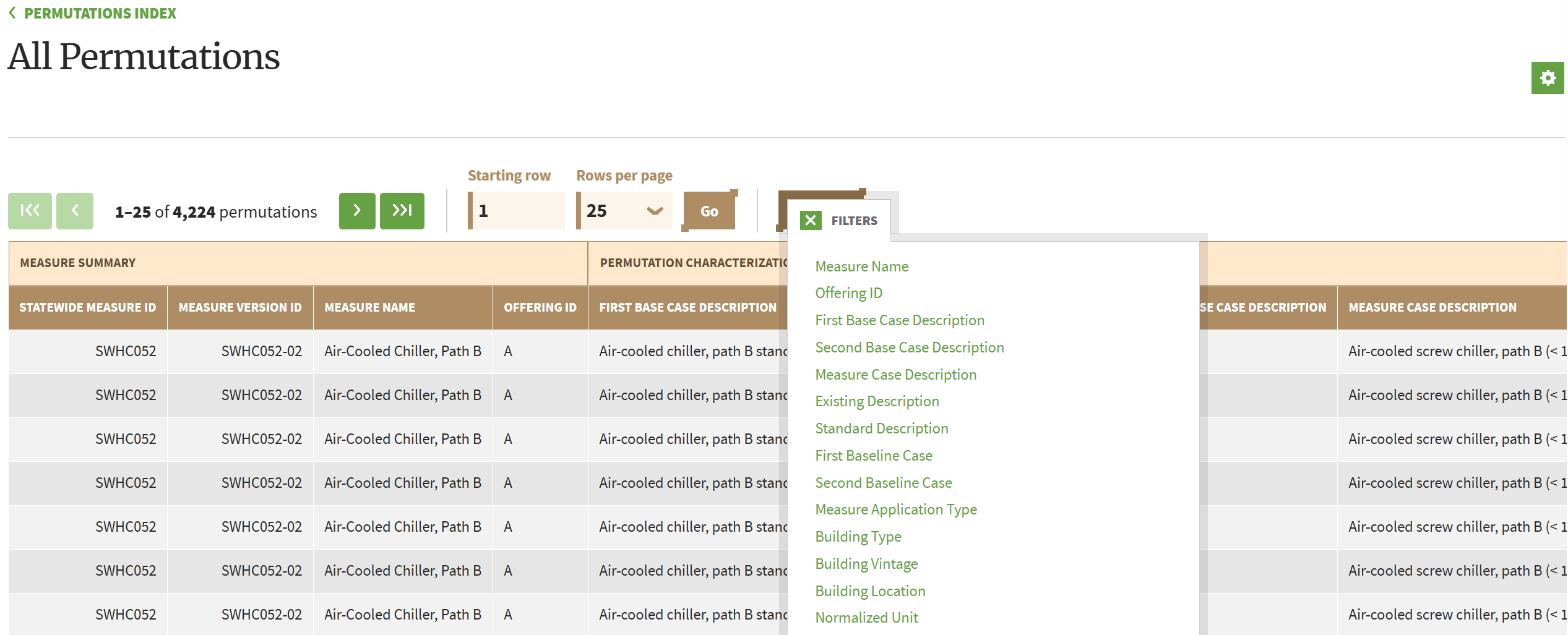
Features: Permutation table now supports the same advanced filtering capabilities available for CPUC Support Table, Shared Value Table, and Measure Value Table. New filtering capabilities include:

  • Multiple-choice, keyword (up to 5 keywords), numerical range, single choice, and date range filtering widgets. Widget depends on the column's data type and the system configuration.

  • Support filtering across all table columns

  • Apply filters from either the main table view or the Fullscreen View (formerly Advanced Fullscreen View)

  • Export filtered results

  • Share/persist a filtered view by saving the page URL.

Training Resources: Find Measure Permutations

Advanced Customization for Custom Permutation Report

Affected users: All users

Features: Users can now use the advanced filter UI to create, customize, and save custom permutation reports

  • Apply filter when creating custom permutation report (in addition to being able to select the permutation columns)

  • Saving custom report for a particular measure or across all measures in eTRM

Training Resources: Create a Customized Permutation Report

Advanced Filtering UI for Measure Development Report

Affected users: All users

Features: Measure Development Report now supports the same advanced filtering capabilities available for CPUC Support Table, Shared Value Table, and Measure Value Table. Users can create and save customized report views to track the measure development activities most relevant to them. Additional enhancements to report customization and tracking capabilities will be introduced in a future release.

New

Earlier updates